
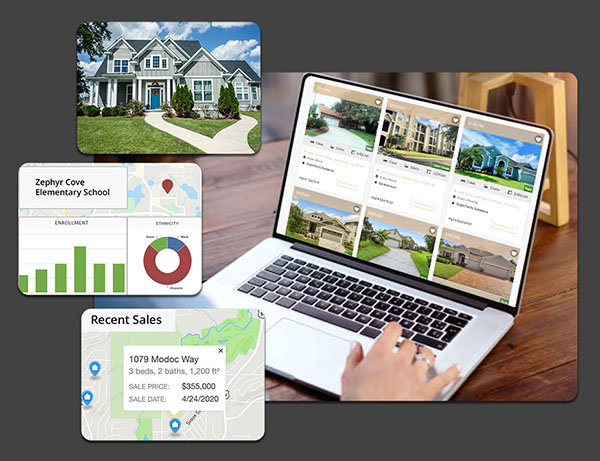
A property lookup can succeed and still leave your application without the information it needs. If you’re building a property profile, for example, you may get a match for the address but find that the response has total building area when your interface needs living area. Testing those details early can save your team from redesigning a feature after integration.
- Start with what your application needs to do
Define the action you want to support, such as building a property profile, prefilling a form, or adding sale history to a dashboard. List the fields that action requires and decide which ones are essential. A property profile might need year built, living area, and lot size, while an application that tracks transactions may also need sale dates and prices.
This is where the dataset and the delivery method come together. ATTOM’s Property Characteristics dataset describes the building and the lot. A property profile endpoint lets your application retrieve available details when a user looks up a property. The ATTOM API documentation shows which fields each endpoint can return and how they’re defined.
- Test coverage using your own properties
Build a sample that reflects where your users are and what they’ll look up. Include multiple markets and property types. If your workflow handles condos, include some addresses with unit numbers so you can see whether the lookup returns the right unit.
Track two things separately: how often the API matches the correct property and how often it returns each field you need. A successful match may still leave a field blank. Decide what your application should do in each case, such as asking the user to confirm the address or allowing them to enter a missing value.
- Read a sample response before you integrate
Check the accepted lookup inputs, field definitions, and response format. ATTOM’s Basic Profile examples show how to look up a property by street address or by an assessor’s parcel number paired with a county code.
Read the definitions with the people who will use the data. For example, ATTOM’s Expanded Profile documentation distinguishes living area from total building area. If your application displays a single square footage figure, decide which measure belongs there and label it accordingly.
- Estimate usage and compare plans
Map how often your application will request data. A search tool might make a request each time a user looks up a property. A dashboard might retrieve property details and sale history as part of the same workflow. Check how many endpoints each workflow uses, how the provider counts usage, and what happens if you exceed your allowance.
Use the ATTOM Property Data API pricing page to compare Basic Property and Premium Property coverage. If your workflow depends on a specific endpoint or field, confirm access before choosing a plan.
Frequently asked questions
What can a property data API return?
Depending on the endpoint, a property data API can return building and lot characteristics, assessment information, ownership and mortgage details, sales history, or valuation data. Check the endpoint documentation for the fields your application needs.
Can I look up a property by address or parcel number?
Yes. ATTOM’s Basic Profile endpoint supports address lookups. It also supports lookups by assessor’s parcel number with a county code. Check the documentation for the input requirements of the endpoint you plan to use.
How can I test a property data API before choosing a plan?
Run a sample of addresses from the markets and property types your application serves. Check that the API matches the right properties, returns your required fields, and gives your application a clear way to handle missing values.
Start a free ATTOM API trial to test your first workflow, or compare API pricing plans to see which option covers the data you need.

